> For the complete documentation index, see [llms.txt](https://docs.kpnthings.com/kpn-things/llms.txt). Markdown versions of documentation pages are available by appending `.md` to page URLs; this page is available as [Markdown](https://docs.kpnthings.com/kpn-things/general-functions/apis/beta-api-deprecated.md).
# Beta API (Deprecated)
This describes the Beta API that is now deprecated. We recommend transitioning to the new API as soon as possible to take advantage of new features, improved performance, and long-term support.
## List devices
`GET` `https://api.kpnthings.com/api/devices`
#### Query Parameters
| Name | Type | Description |
| ----------- | ------ | ------------------------------------------ |
| currentPage | number | 0 |
| pageSize | number | 20 |
| search | string | (**case sensitive** partial string search) |
| sortBy | string | name |
| sortOrder | string | ASC |
#### Headers
| Name | Type | Description |
| ------------- | ------ | ------------------------------------------------- |
| Authorization | string | Bearer *{accessToken}* |
| Accept | string | application/vnd.kpnthings.device.v1.response+json |
{% tabs %}
{% tab title="200 A paged list of all your Devices." %}
```javascript
{
"content": [
{
"uuid": "xxxxxx",
"name": "My first own device",
"description": "",
"metadata": null,
"deviceSpecificationUUID": "d2723e99-1fe4-4d60-9b6d-8061f7414b24",
"barcode": null
},
...
],
"last": true,
"totalPages": 1,
"totalElements": 2,
"sort": [
{
"direction": "ASC",
"property": "name",
"ignoreCase": false,
"nullHandling": "NATIVE",
"ascending": true,
"descending": false
}
],
"first": true,
"numberOfElements": 2,
"size": 20,
"number": 0
}
```
{% endtab %}
{% endtabs %}
#### Response codes
| Code | Description |
| ------------------ | -------------------------------------------------------------------------------------------------------------------------------- |
| 🟢 200 OK | Your request was correct. |
| 🟢 201 Created | You created an object with your request. |
| 🟢 204 No Content | Your request was correct, but there is no information to return, for instance after deleting an object. |
| 🟡 302 Found | Your access token is incorrect or does not have access to KPN Things. Please check your API Key in GRIP. |
| 🔴 400 Bad Request | Something in your request is not correctly formatted. For instance your body structure, your accept header or a query parameter. |
| 🔴 403 Forbidden | Your access token is correct, but you do not have the authorization to access that resource. |
## Send downlink to device
`POST` `https://api.kpnthings.com/api/actuator/downlinks`
Body: \[{"bn":"urn:dev:DEVEUI:{devEUI}:", "n":"payloadHex", "vs": "{payload}"}]
#### Query Parameters
| Name | Type | Description |
| ----------------- | ------- | ------------------------------------ |
| externalReference | string | Optional reference for you to choose |
| port | integer | LoRa FPort to send data on |
#### Headers
| Name | Type | Description |
| ------------ | ------ | --------------------------------------------------- |
| Accept | string | application/vnd.kpnthings.actuator.v1.response+json |
| Content-Type | string | application/json |
## Full documentation of KPN Things APIs
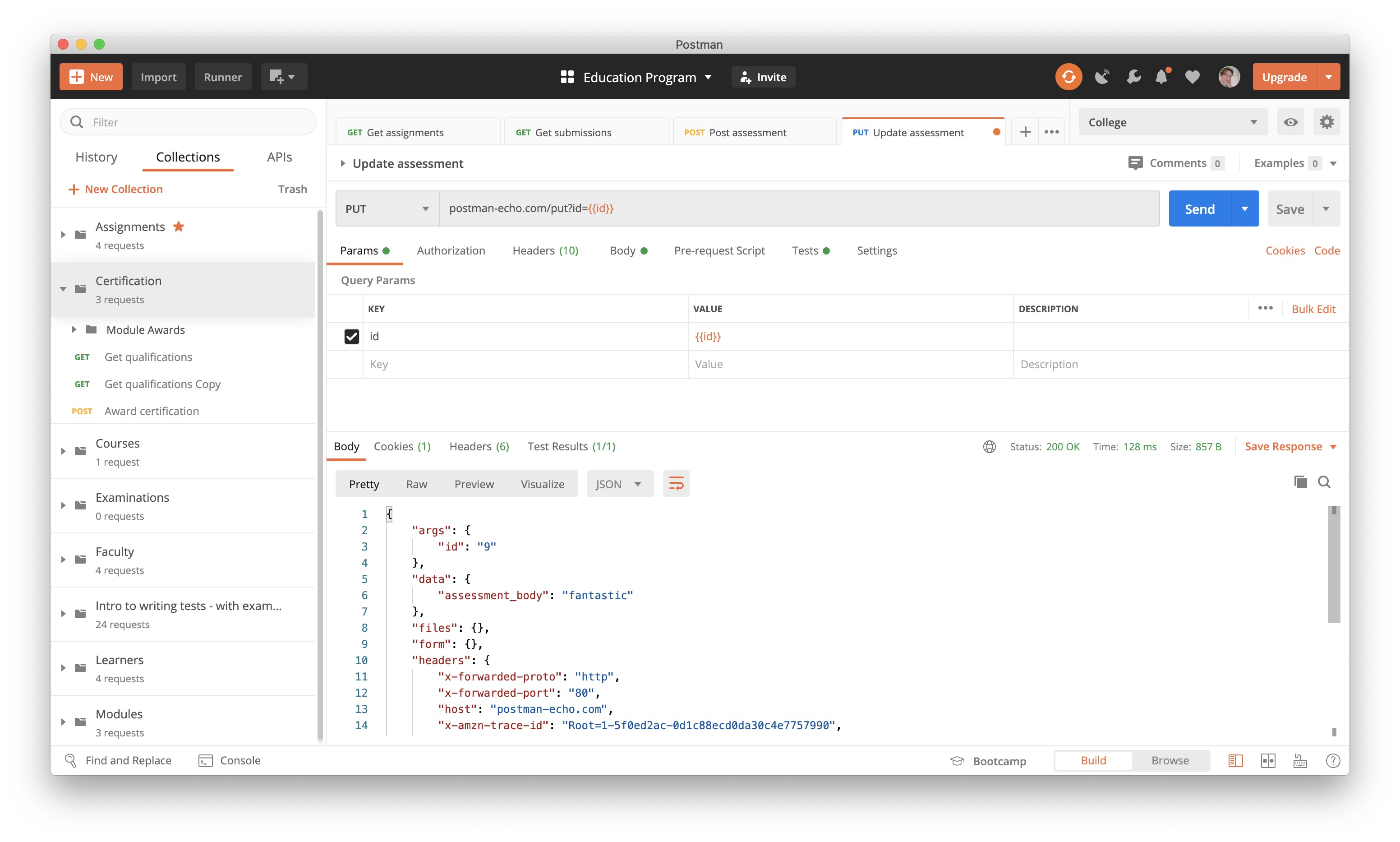
Currently the APIs of KPN Things are documented using Postman. [Postman ](https://learning.postman.com/docs/getting-started/introduction/)is an easy to use API development tool.
### Postman API Collection
{% embed url="" %}
#### Postman environment variables
To get the Postman collection working, you need to create a [Postman environment](https://learning.postman.com/docs/sending-requests/managing-environments/) with the following variables:
| **Variable** | **Value** |
| --------------- | -------------------------------------- |
| *gripBaseUrl* | `https://auth.grip-on-it.com` |
| *tenantId* | Your grip tenant id |
| *applicationId* | `4dc82561-f65f-523g-dek9-6c79ec314f02` |
| *keyId* | Your key id |
| *keySecret* | Your key secret |
| *baseUrl* | `https://api.kpnthings.com` |
## ⚠️Deprecated: performing API call in sub-customer environment
{% hint style="danger" %}
This API is deprecated: [use the `KPN-Things-Security-Context`header instead](/kpn-things/general-functions/apis/getting-started-with-the-api.md#api-access-to-customer-environments-as-a-reseller-1).
💎 **Add-on feature**\
This feature is only available if you have the add-on feature [Customer Management](/kpn-things/getting-started/tutorials/accounts-and-projects/customer-management.md).
{% endhint %}
If you have Customer Management in your account, you can manage Things accounts for your own customers. These customers of you, let's call them sub-customers, have their own customer account in KPN Things. But you have access rights with your API Key to perform actions in their account.
#### The principle
To perform an API call in a sub-customer environment, there are two requirements:
1. You should have requested the access rights to the individual sub-customer environment
2. For all API calls you perform, you should add the following HTTP header:
```http
x-client-id: {{customerID}}
```
#### Step 1: Request access rights
This only has to be one once per API Key per sub-customer.
1. Find the Customer ID from the sub-customer you want to perform an action on. You can use the [All Customers page ](broken://pages/5C1nASS1ZYbvwtRO1sMl#all-customers-page)to search in your Customers and then open the [Customer details page](/kpn-things/getting-started/tutorials/accounts-and-projects/customer-management.md) of the concerning Customer to find its Customer ID.
2. Perform the Request KPN Things access token through GRIP API call.
3. Perform the following API call:
### ⚠️Deprecated: request access rights to a sub-customer
{% hint style="danger" %}
This API is deprecated: [use the `KPN-Things-Security-Context`header instead](/kpn-things/general-functions/apis/getting-started-with-the-api.md#api-access-to-customer-environments-as-a-reseller-1).
{% endhint %}
`GET` `https://api.kpnthings.com/api/v1/lifecycle/clients/:clientId/context-switch`
#### Path Parameters
| Name | Type | Description |
| -------- | ------ | -------------------------------- |
| clientId | string | Customer ID of your sub-customer |
#### Headers
| Name | Type | Description |
| ------------ | ------ | ---------------- |
| Content-Type | string | application/json |
| Accept | string | application/json |
#### Step 2: Perform API call in sub-customer environment
Now you have access rights to the sub-customer environment with your API key. Now you can perform any API call you have the rights for in the sub-customer environment by simply adding the `x-client-id` header to the API call when you execute it.
---
# Agent Instructions
This documentation is published with GitBook. GitBook is the documentation platform designed so that both humans and AI agents can read, navigate, and reason over technical content effectively. Learn more at gitbook.com.
## Querying This Documentation
If you need additional information that is not directly available in this page, you can query the documentation by asking a question.
Perform an HTTP GET request on the following URL with the `ask` and `goal` query parameters:
```
GET https://docs.kpnthings.com/kpn-things/general-functions/apis/beta-api-deprecated.md?ask=&goal=
```
`ask` is the immediate question: it should be specific, self-contained, and written in natural language.
`goal` is what the user is ultimately trying to achieve, the reason they need the answer. Sharing it helps GitBook give you a better, more relevant answer. A goal is most helpful when it describes the outcome the user wants rather than restating the question. For example, with `ask=how do I create an API token`, a goal like `automate deployments from our CI pipeline` lets GitBook tailor the answer to that use case.
The response will contain a direct answer to the question and relevant excerpts and sources from the documentation.
Use this mechanism when the answer is not explicitly present in the current page, you need clarification or additional context, or you want to retrieve related documentation sections.